
Meraki Go Network Switches
Connectivity and control over all your devices
Please visit our Meraki Go Online Store for complete products listing and
to purchase Meraki Go's products online.
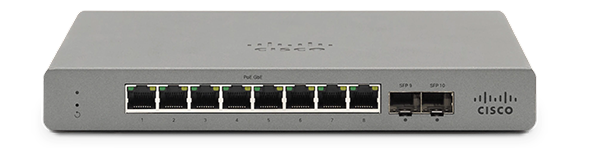

Unify your WiFi-enabled and plugged in devices for business efficiency & simplicity

Remote access and control, all from the mobile app

Apply bulk settings to all ports to save time
Simply Connect Your Tech
With Meraki Go network switches, you can have port availability to securely connect the other technologies you rely on and as your business grows to include more technology, Meraki Go easily scales with your business.
Compare POE Network Switches
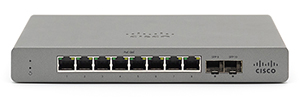
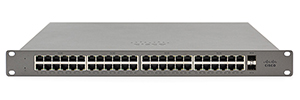
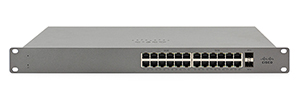
Find out which network switch is right for your business. Choose between 8, 24 or 48-port switches.
| 8-Port POE Switch | 24-Port POE Switch | 48-Port POE Switch | |
|---|---|---|---|
| SWITCHING CAPACITY | 20 Gbp/s | 56 Gbp/s | 104 Gbp/s |
| INTERFACE | 8 x RJ45; 2 x 1G SFP uplink | 24 x RJ45; 2 x 1G SFP uplink; RJ45 Management port | 48 x RJ45; 2 x 1G SFP uplink; RJ45 Management port |
| POWER | input: 100 - 240 VAC, 47-63 Hz; consumption: 7-88W | input: 100 - 240 VAC, 47-63 Hz; consumption: 28-250W | input: 100 - 240 VAC, 47-63 Hz; consumption: 37-478W |
| ETHERNET SWITCHING CAPABILITIES | 802.1p QoS, 8 queues; 802.1Q VLAN & trunking up to 4,094 VLANs; 802.1w, 802.1D RSTP & STP; 802.1ab LLDP and CDP | 802.1p QoS, 8 queues; 802.1Q VLAN & trunking up to 4,094 VLANs; 802.1w, 802.1D RSTP & STP; 802.1ab LLDP and CDP; MAC forwarding entries: 16K | 802.1p QoS, 8 queues; 802.1Q VLAN & trunking up to 4,094 VLANs; 802.1w, 802.1D RSTP & STP; 802.1ab LLDP and CDP; MAC forwarding entries: 32K |
| PHYSICAL DIMENSIONS | 1.1″ x 8.74″ x 5.91″ (2.8 x 22.2 x 15cm) | 1.73″ x 17.32″ x 9.84″ (4.40 x 44 x 25cm) | 1.73″ x 17.32″ x 13.39″ (4.40 x 44 x 34cm) |
| MOUNTING OPTIONS (HARDWARE INCLUDED) | Wall mountable or Desktop | 1U Rack-mountable or Desktop | 1U Rack-mountable or Desktop |
Compare Network Switches
Find out which network switch is right for your business. Choose between 8, 24 or 48-port switches.
| 8-Port Switch | 24-Port Switch | 48-Port Switch | |
|---|---|---|---|
| SWITCHING CAPACITY | 20 Gbp/s | 56 Gbp/s | 104 Gbp/s |
| INTERFACE | 8 x RJ45; 2 x 1G SFP uplink | 24 x RJ45; 2 x 1G SFP uplink; RJ45 Management port | 48 x RJ45; 2 x 1G SFP uplink; RJ45 Management port |
| POWER | input: 100 - 240 VAC, 47-63 Hz; consumption: 6-9W | input: 100 - 240 VAC, 47-63 Hz; consumption: 8-18W | input: 100 - 240 VAC, 47-63 Hz; consumption: 17-36W |
| ETHERNET SWITCHING CAPABILITIES | 802.1p QoS, 8 queues; 802.1Q VLAN & trunking up to 4,094 VLANs; 802.1w, 802.1D RSTP & STP; 802.1ab LLDP and CDP | 802.1p QoS, 8 queues; 802.1Q VLAN & trunking up to 4,094 VLANs; 802.1w, 802.1D RSTP & STP; 802.1ab LLDP and CDP; MAC forwarding entries: 16K | 802.1p QoS, 8 queues; 802.1Q VLAN & trunking up to 4,094 VLANs; 802.1w, 802.1D RSTP & STP; 802.1ab LLDP and CDP; MAC forwarding entries: 32K |
| PHYSICAL DIMENSIONS | 1.1″ x 8.74″ x 5.91″ (2.8 x 22.2 x 15cm) | 1.73″ x 17.32″ x 9.84″ (4.40 x 44 x 25cm) | 1.73″ x 17.32″ x 9.84″ (4.40 x 44 x 25cm) |
| MOUNTING OPTIONS (HARDWARE INCLUDED) | Wall mountable or Desktop | 1U Rack-mountable or Desktop | 1U Rack-mountable or Desktop |
How it works
Find out what devices you’ll need to set up your own Meraki Go network.

Security Gateway
The security gateway router plugs into your existing modem to access the internet service you already pay for.

Network Switch
The network switch connects to your security gateway, giving you control over your bandwidth and ensures your critical devices have priority.

Access Points
Wifi access points allow all your digital devices to connect to the network. Add more access points to give you wider coverage.
Questions? We're here to help.
From offering expert advice to solving complex problems, we've got you covered. Get in touch with a Cisco Meraki Solutions Specialist today to learn more!