Cisco Meraki MX450
Powerful Security and SD-WAN for the Branch & Campus

Important Licensing Information: To activate and manage your Cisco Meraki Cloud Managed Security Appliance, a purchase of a Cisco Meraki license is mandatory.
List Price:
Our Price: $7,094.24

Overview:
The Cisco Meraki MX450 is an integrated router, next-generation firewall, traffic shaper, and Internet gateway that is centrally managed over the web. The MX450 offers an extensive feature set, yet is incredibly easy to deploy and manage. Intuitive web-based administration eliminates specialized training and dedicated staff, and cloud-based centralized management provides seamless multi-site networks, automatic firmware upgrades, and much more.
MX250 Highlights
- 10G SFP+ WAN interfaces for high-speed connectivity
- 1G/10G fiber and copper interfaces for flexible LAN connectivity
- Stateful firewall throughput: 6 Gbps
- Redundant power supplies and fans
- Recommended maximum clients: 10,000
Cloud-based centralized management
- Managed centrally over the Web
- Classifies applications, users and devices
- Zero-touch, self-provisioning deployments
Networking and security
- Stateful firewall
- Auto VPN self-configuring site-to-site VPN
- Powerful SD-WAN capabilities
- Active Directory integration
- Identity-based policies
- Client VPN (IPsec)
- Smart link bonding
- Layer 7 application visibility and traffic shaping
- Application prioritization
- Web caching
- Choose WAN uplink based on traffic type
Advanced security services1
- Content filtering
- Google SafeSearch and YouTube for Schools
- Intrusion detection & prevention (IDS/IPS)
- Advanced Malware Protection (AMP)
- Cisco Threat Grid2
 A Complete Solution for Distributed Networks
The MX provides a complete networking and security solution that typically requires up to four appliances: branch router, next-generation firewall, Layer 7 traffic shaper, and CIPA-compliant content filter.
This integrated architecture dramatically reduces up-front costs and ongoing support and maintenance. Moreover, it provides unified, single pane-of-glass management, speeding deployment and eliminating the need for specialized training.
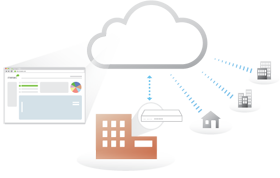 The First Cloud Managed Networking and Security Platform
The Cisco Meraki MX is a complete networking and security solution, designed to make distributed networks fast, secure, and easy to manage.
The MX is managed entirely through Cisco Meraki's web based dashboard. Designed with intuitive controls for IT generalists, the MX requires no training or specialized staff. The MX will even self-provision, allowing for remote branch deployments without on site IT.
Powerful Hardware Platform
The MX hardware platform is purpose-built for cloud management, with CPU and memory resources designed to provide application and content-aware security at the edge. The MX's robust platform enables advanced features like layer 7 application traffic shaping, content filtering, antivirus/antiphishing, and site-to-site VPN, while providing the throughput and capacity for modern, high-density networks.
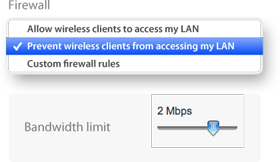 Easy to Manage Without Training or On-Site Networking Expertise
The MX was designed for ease of use, even in branches without on-site IT. An intuitive interface, contextual help, and real-time support from the cloud eliminate specialized training. To deploy the MX in remote locations, simply connect the MX to the Internet, and it will securely self-provision from the cloud. Firmware upgrades, security patches, and signature updates are all delivered seamlessly from the cloud, ensuring that the MX is always up to date. Integrating broad security and networking features into a single intuitive device drastically reduces complexity in the branch.
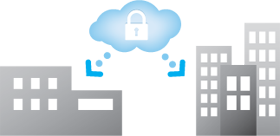 Secure, Reliable Distributed Networking Without Costly MPLS
The MX eliminates costly MPLS tunnels with secure site-to-site VPN over redundant Internet connections. Using IPsec over the Internet, the MX links your branches to headquarters as well as to one another as if connected with a virtual Ethernet cable. Configuration headaches like NAT traversal are handled automatically from the cloud. The MX70's dual WAN ports with balancing and failover enable the use of redundant commodity Internet connections, providing more bandwidth and higher reliability than MPLS, at a fraction of the cost.
 Connects and Secures Branches from the Cloud
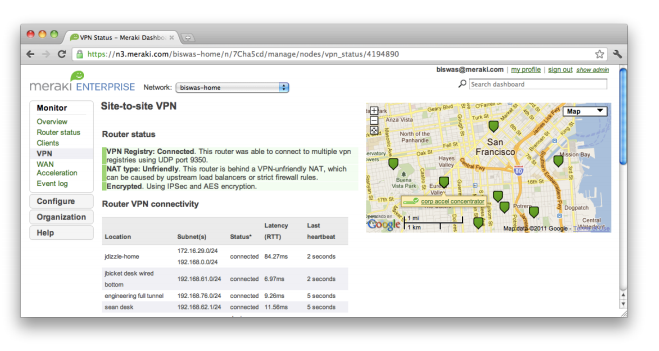
Cisco Meraki's cloud management platform makes it easy to deploy secure, interconnected, centrally managed multi-site networks. Add new sites in seconds with auto-configuring VPN. Centrally manage user, content and application-aware firewall policies across your entire network.
Control Applications, Users, and Devices
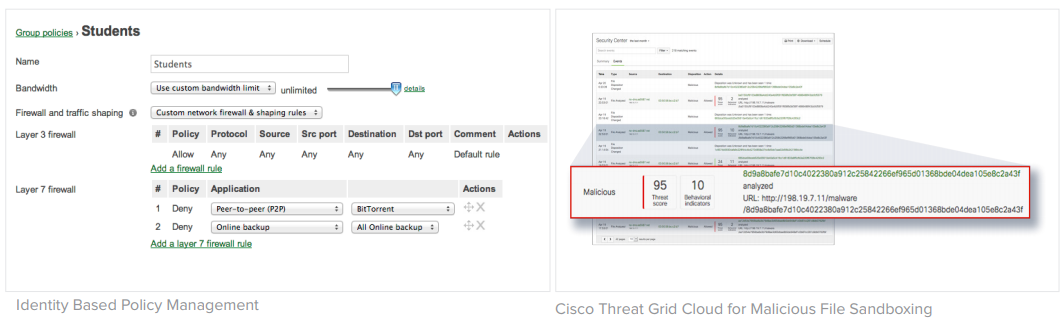
 The MX provides complete control over users, content, and applications, giving the visibility, security, and control required for mixed-use networks. Layer 7 fingerprinting technology lets administrators block objectionable content and applications and prevent recreational apps like BitTorrent from wasting precious bandwidth. Likewise, the MX can prioritize critical applications like voice and video. User fingerprinting identifies clients by name, operating system, or device (e.g. iPad). Fast search, automatic reports, and device quarantine provide complete visibility and control over the users across the entire network.
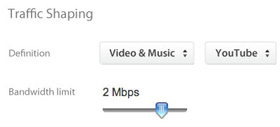 Increases WAN Performance and Reduces Bandwidth Costs
Block unwanted bandwidth hogs like BitTorrent, and add capacity with WAN load balancing. Cache, deduplicate, and optimize traffic with WAN optimization to lower bandwidth consumption by up to 99% and improve application performance by up to 209x.
1 Requires Advanced Security License
2 Requires Threat Grid cloud subscription
Features:

Identity-Based Firewall
Automatically assigns firewall and traffic shaping rules, VLAN tags, and bandwidth limits to enforce the right policies for each class of users.

Intrusion Prevention
Protects critical network resources from the latest security threats and vulnerabilities.

Auto VPN
Securely connects branch locations using mesh or hub-and-spoke tMopologies. Provides simple VPN access into Amazon Web Services and Microsoft Azure.

Content Filtering
Block undesirable web content across 70+ categories, and leverage cloud lookups to filter billions of URLs.

Advanced Malware Protection
Protect your network against malware using the latest threat intelligence, and identify previously unknown malicious files with retrospective detection.

High Availability & Failover
Provides device and connection integrity through multiple uplinks, warm spare failover, and self-healing VPN.

Application Visibility & Control
Identify which applications are being used, and then prioritize critical apps while limiting recreational apps.

Centralized Management
Seamlessly manage campus-wide WiFi deployments and distributed multi-site networks from a single pane-of-glass.
MX Cloud Managed Security Appliance Series Solutions:
Cisco Meraki MX Security Appliances are ideal for organizations considering a Unified Threat Managment (UTM) solution, for distributed sites, campuses or datacenter VPN concentration. Since the MX is 100% cloud managed, installation and remote management is simple. The MX has a comprehensive suite of network services, eliminating the need for multiple appliances. These services include SD-WAN capabilities, application-based firewalling, content filtering, web search filtering, SNORT® based intrusion detection and prevention, Cisco Advanced Malware Protection (AMP), web caching, 4G cellular failover and more. Auto VPN and SD-WAN features are available on our hardware and virtual appliances, configurable in Amazon Web Services.
Eliminates 6 complex appliances with a single, easy to manage platform.
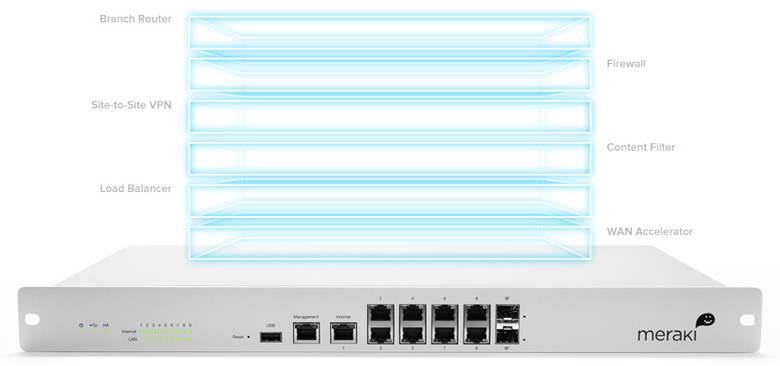
- Application-aware traffic control: bandwidth policies for Layer 7 application types (e.g., block YouTube, prioritize Skype, throttle BitTorrent).
- Content filtering: CIPA-compliant content filter, web search filtering (Google/Bing), and YouTube for Schools.
- Intrusion prevention: PCI-compliant IPS sensor using industry-leading SNORT signature database from Cisco Sourcefire
- Advanced Malware Protection: file reputation-based protection engine powered by Cisco AMP.
- Identity-based security policies and application management.
Industry-leading Cloud Management
- Unified firewall, switching, wireless LAN, and mobile device management through an intuitive web-based dashboard.
- Template based settings scale easily from small deployments to tens of thousands of devices.
- Role-based administration, configurable email alerts for a variety of important events, and easily auditable change logs.
- Summary reports with user, device, and application usage details archived in the cloud.
- Auto VPN: automatic VPN route generation using IKE/IPsec setup. Runs on physical MX appliances and as a virtual instance within the Amazon AWS cloud services.
- SD-WAN with active / active VPN, policy-based-routing, dynamic VPN path selection and support for application-layer performance profiles to ensure prioritization of the applications types that matter
- Interoperates with all IPsec VPN devices and services.
- Automated MPLS to VPN failover within seconds of a connection failure
- Client VPN: L2TP IPsec support for native Windows, Mac OS X, iPad and Android clients with no per-user licensing fees.
Branch Gateway Services
- Built-in DHCP, NAT, QoS, and VLAN management services.
- Web caching: accelerates frequently accessed content.
- Load balancing: combines multiple WAN links into a single highspeed interface, with policies for QoS, traffic shaping, and failover.
- Smart connection monitoring: automatic detection of layer 2 and layer 3 outages and fast failover, including 3G/4G USB modems.
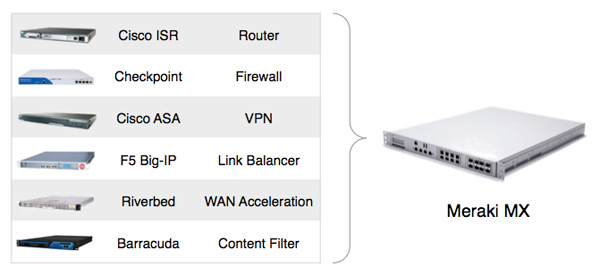
Consolidate up to six devices with a single Cisco Meraki MX appliance
Powerful Hardware Platform
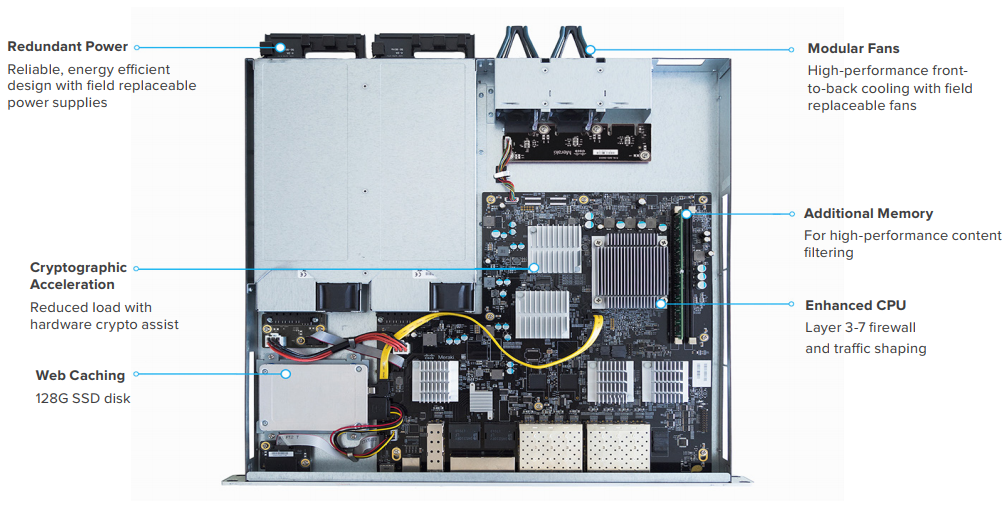
The MX hardware platform is purpose-built for cloud management, with CPU and memory resources designed to provide application and content-aware security at the edge. The MX's robust platform enables advanced features like layer 7 application traffic shaping, content filtering, antivirus/antiphishing, and site-to-site VPN, while providing the throughput and capacity for modern, high-density networks.
Inside the Cisco Meraki MX
MX450 shown, features vary by model
Ironclad Security
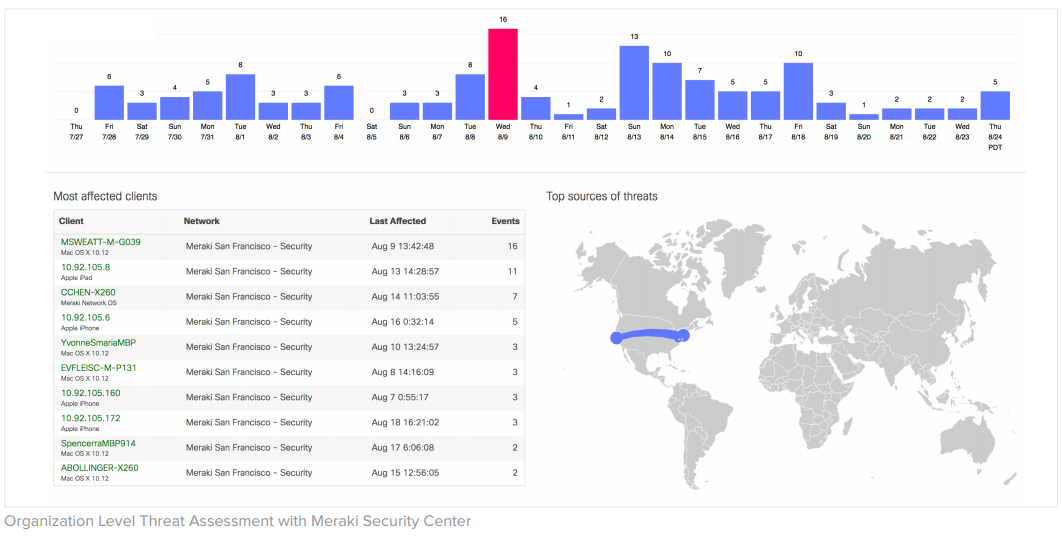
The MX platform has an extensive suite of security features including IDS/IPS, content filtering, web search filtering, antimalware, geo-IP based firewalling, IPsec VPN connectivity and Cisco Advanced Malware Protection, while providing the performance required for modern, bandwidth-intensive networks.
Layer 7 fingerprinting technology lets administrators identify unwanted content and applications and prevent recreational apps like BitTorrent from wasting precious bandwidth.
The integrated Cisco SNORT engine delivers superior intrusion prevention coverage, a key requirement for PCI 3.0 compliance. The MX also uses the Webroot BrightCloud URL categorization database for CIPA / IWF compliant content-filtering, Cisco Advanced Malware Protection (AMP) engine for anti-malware, AMP Threat Grid Cloud, and MaxMind for geo-IP based security rules.
Best of all, these industry-leading Layer 7 security engines and signatures are always kept up-to-date via the cloud, simplifying network security management and providing peace of mind to IT administrators.
SD-WAN Made Simple
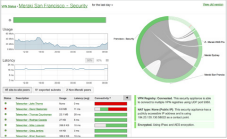
Software-defined WAN is a new approach to network connectivity that lowers operational costs and improves resource usage for multisite deployments to use bandwidth more efficiently. This allows service providers to offer their customers the highest possible level of performance for critical applications without sacrificing security or data privacy.
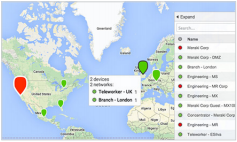
Transport independence
Apply bandwidth, routing, and security policies across a variety of mediums (MPLS, Internet, or 3G/4G LTE) with a single consistent, intuitive workflow
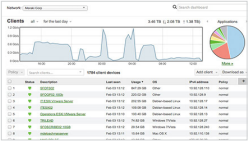
Application optimization
Layer 7 traffic shaping and application prioritization optimize the traffic for mission-critical applications and user experience
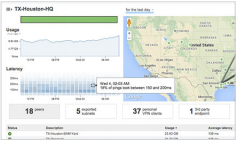
Intelligent path control
Dynamic policy and performance based path selection with automatic load balancing for maximum network reliability and performance
Secure connectivity
Integrated Cisco Security threat defense technologies for direct Internet access combined with IPsec VPN to ensure secure communication with cloud applications, remote offices, or datacenters
Cloud Managed Architecture
Built on Cisco Meraki’s award-winning cloud architecture, the MX is the industry’s only 100% cloud-managed solution for Unified Threat Management (UTM) and SD-WAN in a single appliance. MX appliances self-provision, automatically pulling policies and configuration settings from the cloud. Powerful remote management tools provide network-wide visibility and control, and enable administration without the need for on-site networking expertise.
Cloud services deliver seamless firmware and security signature updates, automatically establish site-to-site VPN tunnels, and provide 24x7 network monitoring. Moreover, the MX’s intuitive browser-based management interface removes the need for expensive and time-consuming training.
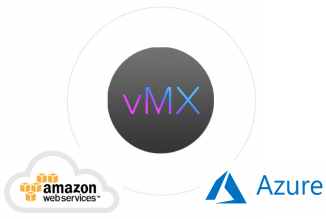
For customers moving IT services to a public cloud service, Meraki offers a virtual MX for use in Amazon Web Services and Microsoft Azure, enabling Auto VPN peering and SD-WAN for dynamic path selection.
Integrated 802.11ac Wave 2 Wireless
The MX67W, MX68W, and MX68CW integrate Cisco Meraki’s awardwinning wireless technology with the powerful MX network security features in a compact form factor ideal for branch offices or small enterprises.
- Dual-band 802.11n/ac Wave 2, 2x2 MU-MIMO with 2 spatial streams
- Unified management of network security and wireless
- Integrated enterprise security and guest access
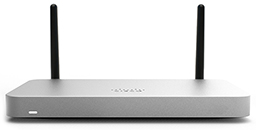
MX68CW Security Appliance
LTE Advanced
While all MX models feature a USB port for 3G/4G failover, the MX67C and MX68CW include a SIM slot and internal LTE modem. This integrated functionality removes the need for external hardware and allows for cellular visibility and configuration within the Meraki dashboard.
- 1 x CAT 6, 300 Mbps LTE modem
- 1 x Nano SIM slot (4ff form factor)
- Global coverage with individual orderable SKUs for North America and Worldwide
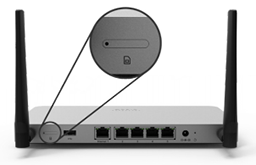
MX67C SIM slot
Power over Ethernet
The MX65, MX65W, MX68, MX68W, and MX68CW include two ports with 802.3at (PoE+). This built-in power capability removes the need for additional hardware to power critical branch devices.
- 2 x 802.3at (PoE+) ports capable of providing a total of 60W
- APs, phones, cameras, and other PoE enabled devices can be powered without the need for AC adapters, PoE converters, or unmanaged PoE switches.
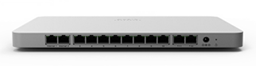
MX68 Port Configuration
Meraki vMX100
Virtual MX is a virtual instance of a Meraki security appliance, dedicated specifically to providing the simple configuration benefits of site-to-site Auto VPN for customers running or migrating IT services to the public cloud. A virtual MX is added via the Amazon Web Services marketplace and then configured in the Meraki dashboard, just like any other MX. It functions like a VPN concentrator.
- An Auto VPN to a virtual MX is like having a direct Ethernet connection to a private datacenter. The virtual MX can support up to 500 Mbps of VPN throughput, providing ample bandwidth for mission critical IT services hosted in the public cloud, like Active Directory, logging, or file and print services.
- Support for Amazon Web Services (AWS)
- No hardware, only a Meraki license is required
Lifetime Warranty with Next-day Advanced Replacement
Cisco Meraki MX appliances include a limited lifetime hardware warranty that provides next-day advance hardware replacement. Cisco Meraki's simplified software and support licensing model also combines all software upgrades, centralized systems management, and phone support under a single, easy-to-understand model.
Cloud Management:
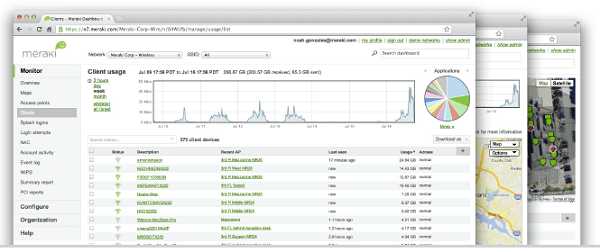
Cisco Meraki's cloud based management provides centralized visibility & control over Cisco Meraki's wired & wireless networking hardware, without the cost and complexity of wireless controllers or overlay management systems. Integrated with Cisco Meraki's entire product portfolio, cloud management provides feature rich, scalable, and intuitive centralized management for networks of any size.
Highlights
- Unified visibility and control of the entire network via a single dashboard: wireless, switching, and security appliances
- Streamlines large networks with tens of thousands of endpoints
- Zero-touch provisioning for rapid deployment
- Built-in multi site network management tools
- Automated network monitoring and alerts
- Intuitive interface eliminates costly training or added staff
- Network tagging engine - search and sync settings by tag
- Role-based administration and auditable change logs
- Continuous feature updates delivered from the cloud
- Highly available and secure (PCI / HIPAA compliant)
Cloud Managed Networks
Cisco Meraki's hardware products are built from the ground up for cloud management. As a result, they come out of the box with centralized control, layer 7 device and application visibility, real time web-based diagnostics, monitoring, reporting, and much more.
Cisco Meraki networks deploy quickly and easily, without training or dedicated staff. Moreover, Cisco Meraki provides a rich feature set that provides complete control over devices, users, and applications, allowing for flexible access policies and rich security without added cost or complexity.
Cisco Meraki's cloud management provides the features, security, and scalability for networks of any size. Cisco Meraki scales from small sites to campuses, and even distributed networks with thousands of sites. Cisco Meraki devices, which self-provision via the cloud, can be deployed in branches without IT. Firmware and security signature updates are delivered seamlessly, over the web. With the cloud, branches can automatically establish secure VPN tunnels between one another with a single click.
With a secure, PCI and HIPAA compliant architecture and fault tolerant design that preserves local network functionality during WAN outages, Cisco Meraki is field proven in high security and mission critical network applications.
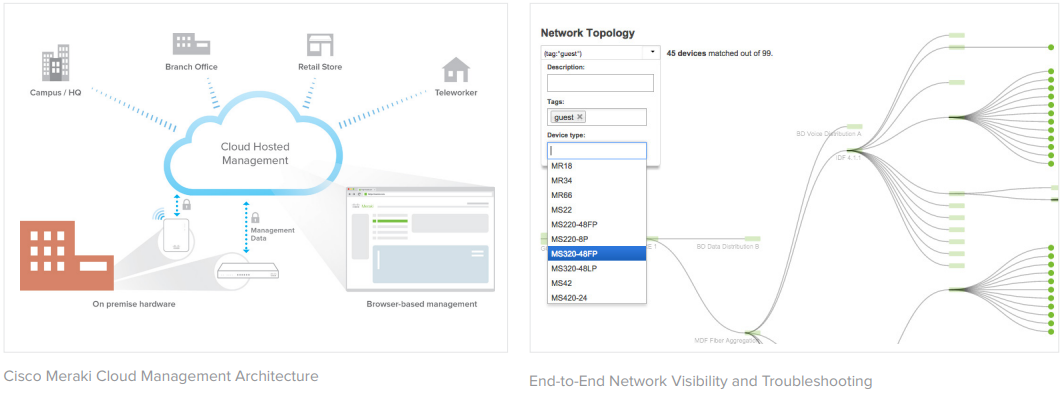
Cloud Management Architecture
Cisco Meraki's architecture provides feature rich network management without on-site management appliances or WiFi controllers.
Every Cisco Meraki device - including wirelesss access points, Ethernet switches, and security appliances - connects over the Internet to Cisco Meraki's datacenters, which run Cisco Meraki's cloud management platform. These connections, secured via SSL, utilize a patented protocol that provides real time visibility and control, yet uses minimal bandwidth overhead (typically 1 kbps or less.)
In place of traditional command-line based network configuration, Cisco Meraki provides a rich web based dashboard, providing visibility and control over up to tens of thousands of Cisco Meraki devices, anywhere in the world. Tools, designed to scale to large and distributed networks, make policy changes, firmware updates, deploying new branches, etc. simple and expedient, regardless of size or location. Cisco Meraki's real time protocols combine the immediacy of on-premise management applications with the simplicity and centralized control of a cloud application.
Every Cisco Meraki device is engineered for cloud management. Specifically, this means that Cisco Meraki devices are designed with memory and CPU resources to perform packet processing, QoS, layer 3-7 security, encryption, etc. at the network edge. As a result, no network traffic passes through the cloud, with the cloud providing management functionality out of the data path. This architecture enables networks to scale horizontally, adding capacity simply by adding more endpoints, without concern for centralized bottlenecks or chokepoints. Equally important, since all packet processing is performed on premise, end-user functionality is not compromised if the network's connection to the cloud is interrupted.
Cisco Meraki's cloud platform is designed to spread computation and storage across independent server clusters in geographically isolated datacenters. Any server or datacenter can fail without affecting customers or the rest of the system. Additionally, Cisco Meraki's datacenter design is field proven to support tens of thousands of endpoints.
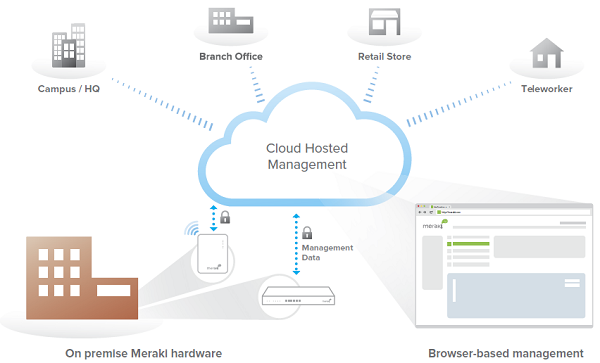
Cloud Management Architecture
Powerful Insight and Troubleshooting Tools
Cisco Meraki's cloud architecture delivers powerful insight and includes live tools integrated directly into the dashboard, giving instant analysis of performance, connectivity, and more. Using live tools, network administrators no longer need to go on site to perform routine troubleshooting tests. Visibility into devices, users, and applications gives administrators the information needed to enforce security policies and enable the performance needed in today's demanding network environments.
Troubleshooting tools such as ping, traceroute, throughput, and even live packet captures are integrated directly into the Cisco Meraki dashboard, dramatically reducing resolution times and enabling troubleshooting at remote locations without on-site IT staff.
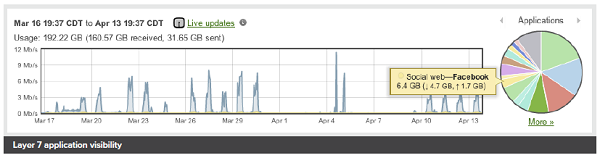
Layer 7 application visibility
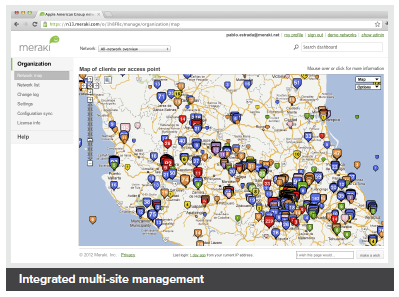
Integrated multi-site management
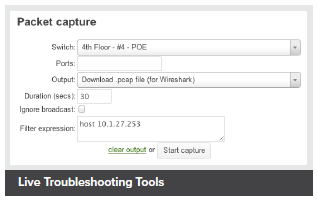
Live Troubleshooting Tools
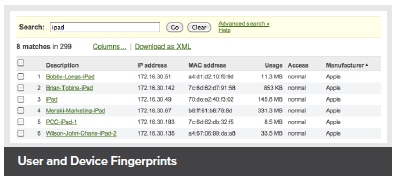
User and Device Fingerprints
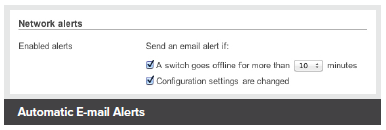
Automatic E-mail Alerts
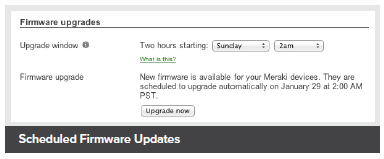
Scheduled Firmware Updates
Out-of-Band Control Plane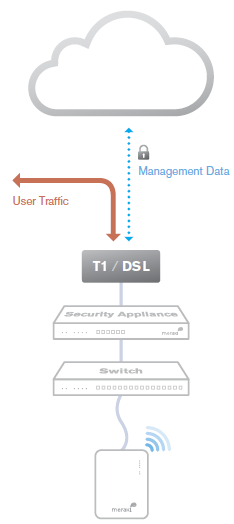
Cisco Meraki's out-of-band control plane separates network management data from user data. Management data (e.g., configuration, statistics, monitoring, etc.) flows from Cisco Meraki devices (wireless access points, switches, and security appliances) to Cisco Meraki's cloud over a secure Internet connection. User data (web browsing, internal applications, etc.) does not flow through the cloud, instead flowing directly to its destination on the LAN or across the WAN.
Advantages of an out of band control plane:
Scalability
- Unlimited throughput: no centralized controller bottlenecks
- Add devices or sites without MPLS tunnels
- Add switching capacity without stacking limitations
Reliability
- Redundant cloud service provides high availability
- Network functions even if management traffic is interrupted
Security
- No user traffic passes through Cisco Meraki's datacenters
- Fully HIPAA / PCI compliant
What happens if a network loses connectivity to the Cisco Meraki cloud?
Because of Cisco Meraki's out of band architecture, most end users are not affected if Cisco Meraki wireless APs, switches, or security appliances cannot communicate with Cisco Meraki's cloud services (e.g., because of a temporary WAN failure):
- Users can access the local network (printers, file shares, etc.)
- If WAN connectivity is available, users can access the Internet
- Network policies (firewall rules, QoS, etc.) continue to be enforced
- Users can authenticate via 802.1X/RADIUS and can roam wirelessly between access points
- Users can initiate and renew DHCP leases
- Established VPN tunnels continue to operate
- Local configuration tools are available (e.g., device IP configuration)
While Cisco Meraki's cloud is unreachable, management, monitoring, and hosted services are temporarily unavailable:
- Configuration and diagnostic tools are unavailable
- Usage statistics are stored locally until the connection to the cloud is re-established, at which time they are pushed to the cloud
- Splash pages and related functionality are unavailable
Cisco Meraki Datacenter Design
Cisco Meraki's cloud management service is colocated in tier-1, SAS70 type II certified datacenters. These datacenters feature state of the art physical and cyber security and highly reliable designs. All Cisco Meraki services are replicated across multiple independent datacenters, so that customer-facing services fail over rapidly in the event of a catastrophic datacenter failure.
- Five geographically dispersed datacenters
- Every customer's data (network configuration and usage metrics) replicated across three independent datacenters
- Real-time data replication between datacenters (within 60 seconds)
- Nightly archival backups
Availability Monitoring
- 24x7 automated failure detection — all servers are tested every five minutes from multiple locations
- Rapid escalation procedures across multiple operations teams
- Independent outage alert system with 3x redundancy
Disaster Recovery
- Rapid failover to hot spare in event of hardware failure or natural disaster
- Out of band architecture preserves end-user network functionality, even if connectivity to Cisco Meraki's cloud services is interrupted
- Failover procedures drilled weekly
Cloud Services Security
- 24x7 automated intrusion detection
- Protected via IP and port-based firewalls
- Access restricted by IP address and verified by public key (RSA)
- Systems are not accessible via password access
- Administrators automatically alerted on configuration changes
Physical Security
- High security card keys and biometric readers control facility access
- All entries, exits, and cabinets are monitored by video surveillance
- Security guards monitor all traffic into and out of the datacenters 24x7, ensuring that entry processes are followed
- Only configuration and usage statistics are stored in the cloud
- End user data does not traverse through the datacenter
- All sensitive data (e.g., passwords) stored in encrypted format
Disaster Preparedness
- Datacenters feature sophisticated sprinkler systems with interlocks to prevent accidental water discharge
- Diesel generators provide backup power in the event of power loss
- UPS systems condition power and ensure orderly shutdown in the event of a full power outage
- Each datacenter has service from at least two top-tier carriers
- Seismic bracing for raised floor, cabinets, and support systems
- In the event of a catastrophic datacenter failure, services fail over to another geographically separate datacenter
Environmental Controls
- Over-provisioned HVAC systems provide cooling and humidity control
- Flooring systems are dedicated for air distribution
Certification
- Cisco Meraki datacenters are SAS70 type II certified
- PCI level 1 certified
Service Level Agreement
- Cisco Meraki's cloud management is backed by a 99.99% uptime SLA. See www.Cisco Meraki.com/trust for details.
Security Tools for Administrators
In addition to Cisco Meraki's secure out-of-band architecture and hardened datacenters, Cisco Meraki provides a number of tools for administrators to maximize the security of their network deployments. These tools provide optimal protection, visibility, and control over your Cisco Meraki network.
Two-factor authentication
Two-factor authentication adds an extra layer of security to an organization's network by requiring access to an administrator's phone, in addition to her username and password, in order to log in to Cisco Meraki's cloud services. Cisco Meraki's two factor authentication implementation uses secure, convenient, and cost effective SMS technology: after entering their username and password, an administrator is sent an a one-time passcode via SMS, which they must enter before authentication is complete. In the event that a hacker guesses or learns an administrator's password, she still will not be able to access the organization's account, as the hacker does not have the administrator's phone. Cisco Meraki includes two-factor authentication for all enterprise users at no additional cost.Password policies
Organization-wide security policies for Cisco Meraki accounts help protect access to the Cisco Meraki dashboard. These tools allow administrators to:
- Force periodic password changes (e.g., every 90 days)
- Require minimum password length and complexity
- Lock users out after repeated failed login attempts
- Disallow password reuse
- Restrict logins by IP address
Role-based administration
Role-based administration lets supervisors appoint administrators for specific subsets of an organization, and specify whether they have read-only access to reports and troubleshooting tools, administer managed guest access, or can make configuration changes to the network. This minimizes the chance of accidental or malicious misconfiguration, and restricts errors to isolated parts of the network.Configuration change alerts
The Cisco Meraki system can automatically send human-readable email and text message alerts when configuration changes are made, enabling the entire IT organization to stay abreast of new policies. Change alerts are particularly important with large or distributed IT organizations.Configuration and login audits
Cisco Meraki logs the time, IP, and approximate location (city, state) of logged in administrators. A searchable configuration change log indicates what configuration changes were made, who they were made by, and which part of the organization the change occurred in.SSL certificates
Cisco Meraki accounts can only be accessed via https, ensuring that all communication between an administrator's browser and Cisco Meraki's cloud services is encrypted.Idle Timeout
30 seconds before being logged out, users are shown a notice that allows them to extend their session. Once time expires, users are asked to log in again.
Compare:
Lifetime Warranty with Next-day Advanced Replacement
Cisco Meraki MX appliances include a limited lifetime hardware warranty that provides next-day advance hardware replacement. Cisco Meraki's simplified software and support licensing model also combines all software upgrades, centralized systems management, and phone support under a single, easy-to-understand model. For complete details, please visit meraki.cisco.com/support.
Product Options
| MX84 | MX100 | MX250 | MX400 | MX450 | MX600 | |
|---|---|---|---|---|---|---|
| Recommended Use Cases | Medium branch | Large branch | Campus or VPN concentrator | Campus or VPN concentrator | Campus or VPN concentrator | Campus or VPN concentrator |
| Recommended Clients | 200 | 500 | 2,000 | 2,000 | 10,000 | 10,000 |
| Stateful Firewall Throughput | 500 Mbps | 750 Mbps | 4 Gbps | 1 Gbps | 6 Gbps | 1 Gbps |
| Advanced Security Throughput | 320 Mbps | 650 Mbps | 2 Gbps | 1 Gbps | 4 Gbps | 1 Gbps |
| Maximum VPN Throughput | 250 Mbps | 500 Mbps | 1 Gbps | 1 Gbps | 2 Gbps | 1 Gbps |
| Maximum Concurrent VPN tunnels | 100 | 250 | 3,000 | 1,000 | 5,000 | 5,000 |
| WAN Interfaces - Dedicated | 2x GbE RJ45 1 x USB (cellular failover1) |
1 x GbE RJ45 1 x USB (cellular failover1) |
2 x 10GbE SFP+ 1 x USB (cellular failover1) |
2 x 1GbE RJ45 2 x USB (cellular failover1) |
2 x 10GbE SFP+ 1 x USB (cellular failover1) |
2 x 1GbE RJ45 2 x USB (cellular failover1) |
| WAN Interfaces - Dual-purpose2 | - | 1 x GbE RJ45 | - | - | - | - |
| LAN Interfaces | 8 x GbE2 x GbE (SFP) | 8 x GbE 2 x GbE (SFP) |
8 x GbE (RJ45) 8 x GbE (SFP) 8 x 10GbE (SFP+) |
2 x GbE (LAN bypass) 8 x GbE (RJ45) 8 x GbE (SFP) 2 x 10GbE (SFP+) |
8 x GbE (RJ45) 8 x GbE (SFP) 8 x 10GbE (SFP+) |
2 x GbE (LAN bypass) 8 x GbE (RJ45) 8 x GbE (SFP) 2 x 10GbE (SFP+) |
| Web Caching | N/A | N/A | 128GB (SSD) | 1TB | 128GB (SSD) | 4 x 1 TB (RAID) |
| Mounting | 1U rack | 1U rack | 1U rack | 1U rack | 1U rack | 1U rack |
| Dimensions | 19” x 10 “ x 1.75” (483 mm x 254 mm x 44 mm) |
19” x 10 “ x 1.75” (483 mm x 254 mm x 44 mm) |
19” x 17.3 “ x 1.75” (483 mm x 440 mm x 44 mm) |
19.0” x 22.0 “ x 1.75” (483 mm x 559 mm x 44 mm) |
19” x 17.3 “ x 1.75” (483 mm x 440 mm x 44 mm) |
19.0” x 22.0 “ x 3.5” (483 mm x 559 mm x 89 mm) |
| Weight | 9 lb (4.1kg) | 9 lb (4.1kg) | 16 lb (7.3kg) | 33 lb (15.0 kg) | 16 lb (7.3kg) | 53 lb (24.0 kg) |
| Power Supply | Internal 100-220V 50/60Hz AC | Internal 100-220V 50/60Hz AC | Modular 100-220V 50/60Hz AC 2 x 250WAC PSU | 100-220V 50/60Hz AC (dual) | Modular 100-220V 50/60Hz AC 2 x 250WAC PSU | 100-220V 50/60Hz AC (dual) |
| Power Load (idle/max) | 26W / 32W | 30W / 55W | 105W / 190W | 123W / 215W | 105W / 190W | 132W / 226W |
| Operating Temperature | 32°F to 104°F (0°C to 40°C) | |||||
| Humidity | 5% to 95% | |||||
1 Requires separate cellular modem
2 Interface configurable for WAN or LAN use
3 The maximum concurrent VPN tunnels are based on lab testing scenarios where no client traffic is transferring over the VPN tunnels.
Specifications:
- Stateful firewall, 1:1 NAT, DHCP, DMZ, static routing
- Identity-based policies
- Auto VPN self-configuring site-to-site VPN
- Client VPN (IPsec)
- User and device quarantine
- VLAN support and DHCP services
Advanced Security Services
- Content filtering (Webroot BrightCloud CIPA-compliant URL database)
- Web search filtering (including Google and Bing SafeSearch)
- YouTube for Schools
- Intrusion prevention (SourceFire Snort based)
- Cisco Advanced Malware Protection (AMP)
- Requires Advanced Security License
WAN Performance Management
- Web caching
- WAN link aggregation
- Application level (Layer 7) traffic analysis and shaping
- Automatic Layer 3 failover (including VPN connections)
- WAN uplink selection based on traffic type
Monitoring and Management
- Web based management and configuration
- Throughput, connectivity monitoring and alerts
- Network asset discovery and user identification
- Built-in network-wide reporting, monitoring and alerts
- Centralized policy management
- Real-time diagnostic and troubleshooting over the web
- Automatic firmware upgrades and security patches
- Searchable network-wide event logs
- 2 × 10GbE SFP+ (WAN)
- 8 × GbE (RJ45)
- 8 × GbE (SFP)
- 8 × 10GbE (SFP+)
- USB: 1 × USB 2.0 for 3G/4G failover
Performance
- Stateful firewall throughput: 6 Gbps
- VPN throughput: 2 Gbps
- Recommended for large campus / data centers (up to 10,000 users)
Power
- Dual 250W power supplies (included)
Environment
- Operating temperature: 32°F to 104°F (0°C to 40°C)
- Humidity: 5 to 95% non-condensing
Warranty
- Lifetime hardware warranty with advanced replacement included
Accessories:
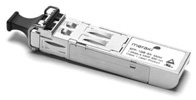
The Cisco Meraki MX100, MX250, MX450, MX450, and MX600 models support pluggable optics for high-speed backbone or link aggregation connections between wiring closets or to aggregation switches. Cisco Meraki offers several standards-based Gigabit and 10 Gigabit pluggable modules. Each appliance has also been tested for compatibility with several third-party modules.
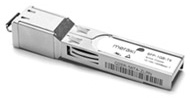
1 GbE SFP Copper Module
1 GbE SFP SX Fiber Transceiver
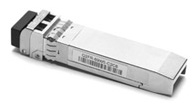
10 GbE SFP+ Short Range Fiber Transceiver
10 GbE SFP+ SR Fiber Transceiver
10 GbE SFP+ LR Fiber Transceiver
10 GbE SFP+ LRM Fiber Transceiver
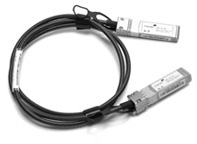
Twinax Cable with SFP+ Connectors (1m)
Twinax Cable with SFP+ Connectors (3m)

18K RPM Fan

250 Watt Power Supply
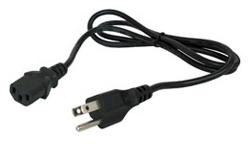
Power cord (US, EU, UK or AU)
| Model | Description |
|---|---|
| MA-SFP-1GB-SX | Cisco Meraki 1 GbE SFP SX Fiber Module (1000BASE-SX, range: 550m) for MX84, MX100, MX250, MX450, MX450, MX600 |
| MA-SFP-1GB-TX | Cisco Meraki 1 GbE RJ45 Copper Module (1000BASE-T for twisted pair) for MX84, MX100, MX250, MX450,, MX450, MX600 |
| MA-SFP-10GB-SR | Cisco Meraki 10 GbE Short Range SFP+ Module (10GBASE-SR, range: 400m) for MX250, MX450, MX450, MX600 |
| MA-CBL-TA-1M | Cisco Meraki 10 GbE Twinax Cable with SFP+ Connectors (10GSFP+Cu, range: 1m) for MX250, MX450, MX450, MX600 |
| MA-CBL-TA-3M | Cisco Meraki 10 GbE Twinax Cable with SFP+ Connectors (10GSFP+Cu, range: 3m) for MX250, MX450, MX450, MX600 |
| MA-PWR-250WAC | Meraki MX250/MX450 Power Supply Unit (PSU) |
| MA-FAN-18K | Meraki 18K RPM system fan for MX250 and MX450 |
| MA-PWR-CORD-US | Meraki Power Cables - 1 x power cable required for each MX, 2x power cables required for MX250, MX450, MX450, MX600 |
Note: Please refer to Cisco Meraki.com for additional single-mode and multi-mode fiber transceiver modules
License Editions:
An organization must have a valid Enterprise Edition license or Advanced Security Edition license for the MX series in order to work properly. Each organization is licensed for a maximum number of security appliances for a certain amount of time (typically from one year to five years).
In addition, each organization is required to use either the Enterprise Edition or the Advanced Security Edition uniformly. For example, you can have all 25 appliances using Enterprise Edition or Advanced Security Edition, but you cannot have 20 appliances using one edition and 5 using the other edition. If you wish to use Enterprise Edition for some appliances and Advanced Security Edition for other appliances, you need to create two organizations, one for your appliances with the Enterprise Edition, and another for the appliances with the Advanced Security Edition.
You can manage a given organization's licenses on the Organization > License info page. The page displays the following information:
- Status: OK or problem
- Expiration date
- MX Advanced Security Enabled or Disabled
- Licensed device limit for each device type
- Current device count for each device type
- License history (list of licenses that have been applied to the network)
Enterprise vs. Advance Security license
The following table provides a list of the major features and the required licensing.
| Feature | Enterprise license | Advanced Security license |
|---|---|---|
| Stateful firewall | ||
| VLAN to VLAN routing | ||
| Link bonding / failover | ||
| 3G / 4G failover | ||
| Traffic shaping / prioritization | ||
| WAN optimization | ||
| Site-to-site VPN | ||
| Client VPN | ||
| MPLS to VPN Failover | ||
| Splash pages | ||
| Configuration templates | ||
| HTTP content caching | ||
| Group Policies | ||
| Client connectivity alerts | ||
| Intrusion detection / prevention | ||
| Content filtering | ||
| Anti-virus and anti-phishing | ||
| Youtube for Schools | ||
| Web Search Filtering |
Adding licenses
You can add a license by clicking Add another license. You will then have two actions, or "operations", to choose from:
- License more devices: increases the number of devices that can exist within this Cisco Meraki Dashboard organization.
- Renew my Dashboard license: extends the licensing period of this Cisco Meraki Dashboard organization. You must renew the license for all devices in the organization. You cannot renew licensing for only certain devices within the organization.
You cannot add an Enterprise MX license to an Advanced Security organization. Adding an Advanced Security license to an Enterprise organization will convert that organization to Advanced Security. All existing Enterprise MX licenses will have their duration halved to compensate for the difference in the licensing costs, and the organization's license cotermination date will be adjusted accordingly.
Expired licenses or exceeding the licensed device limit
If an organization's license is expired or the number of devices in the organization exceeds the licensed limit, the administrator has 30 days to return the organization to a valid licensed state. During this grace period, the system reminds the administrator to add additional licenses. After 30 days, administrators are not able to access the Dashboard (except to add additional licenses) and all Cisco Meraki equipment in the organization will cease to function.
Use Cases:
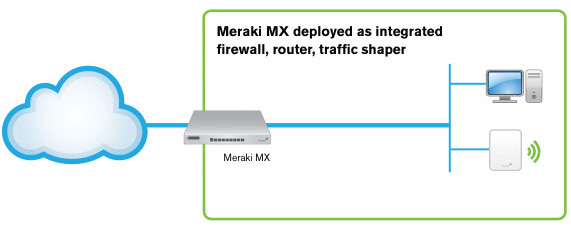
Cloud-Managed Multi-Service Router
Build an easy to deploy and reliable network that doesn't require costly solutions like MPLS tunnels. Deploy the MX series in missioncritical networks using link failover. Simplify access and visibility through cloud-managed site-to-site VPN. Secure remote networks using advanced security features like anti-virus filtering. Optimize network costs using traffic shaping.
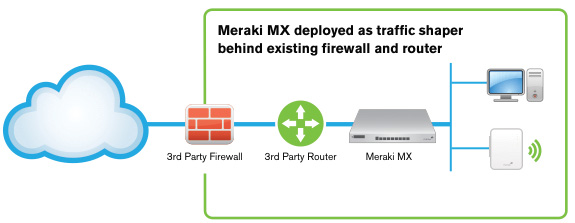
Inline Traffic Shaper and Network Monitor
The MX series are equally indispensable when deployed behind an existing firewall and router. Optimize network traffic with application-aware (layer 7) traffic shaping and firewall. Prioritize mission critical applications or VoIP traffic while setting limits on recreational traffic, e.g. peer-to-peer applications. Discover all client devices, identify users and monitor printers.
Documentation:
Download the Cisco Meraki MX Series Datasheet (PDF).
Pricing Notes:
- Pricing and product availability subject to change without notice.
Important Licensing Information: To activate and manage your Cisco Meraki Cloud Managed Security Appliance, a purchase of a Cisco Meraki license is mandatory.
List Price:
Our Price: $7,094.24
List Price:
Our Price: $14,188.48
List Price:
Our Price: $96.68
List Price:
Our Price: $145.02
List Price:
Our Price: $6.23
List Price:
Our Price: $1.45